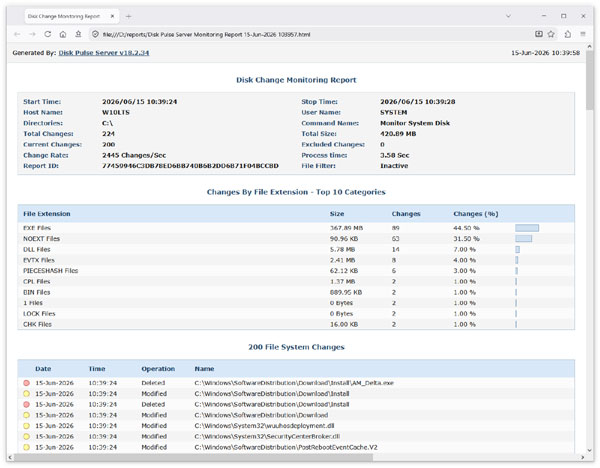
DiskPulse Server includes a built-in reports database allowing one to keep a history of disk change monitoring reports, search changes
in the reports database and generate summary disk change monitoring reports. In order to open the DiskPulse Server reports database,
press the 'Reports' button located on the main toolbar.
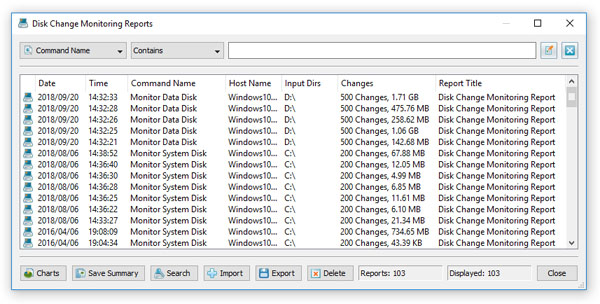
The DiskPulse reports dialog shows previously saved disk change monitoring reports and allows one to open reports, search specific file
system changes in one or more disk change monitoring reports, save summary reports, export and import reports, delete reports, etc.
In addition, the reports dialog provides the ability to filter reports by the disk change monitoring command name, monitored directories,
report title and server host name.

In order to automatically save disk change monitoring reports to the reports database, open the disk change monitoring command dialog,
select the 'Advanced' tab, enable automated disk change monitoring actions and add an action to save a report to the DiskPulse reports
database after every X changes or Y hours.